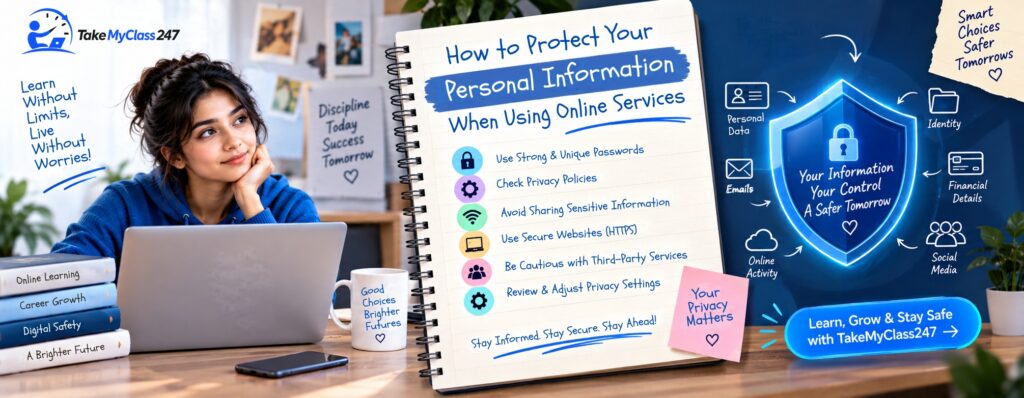
Learn how to protect your personal information while using online services. Generally, careful sharing of details, using strong, unique passwords, multi-factor authentication, safe connections, a secure payment gateway, and frequent account monitoring will protect you from phishing attacks and other online threats.
Online services have improved many of our daily activities. So, nowadays, we rely heavily on websites and mobile applications for shopping, studying, communicating, paying bills, storing documents, and accessing professional services. In fact, these services imply that much of our personal data is stored and exchanged via the Internet.
Typically, data theft, phishing, scams, malware, weak passwords, and unauthorized account access can expose everything from contact details to financial records. As your information is precious to cybercriminals, the Federal Trade Commission (FTC) recommends protecting your device and accounts online because they may contain plenty of personal and financial data.
The great thing is that protecting online privacy does not require any special skills. Some simple actions like creating unique passwords, inspecting links, using multi-factor authentication, and checking privacy settings may help you avoid unnecessary troubles. If you have no idea how to protect your personal information while using online services, follow the expert-suggested practical ways listed in this blog.
What Personal Information Should You Protect Online?
Your personal information is not only your name. Any data that can help others identify you, give access to your account, or reveal private details about your life must be protected. These are the key details that you should keep safe online
Full name, address, phone number, and email: This information can be used for impersonation, phishing, or spamming.
Passwords and login credentials: A stolen password may allow others to gain access to your emails, social media accounts, e-commerce websites, learning resources, or any other website.
Payment and financial information: Bank details, credit or debit card numbers, payment credentials, and transaction details must be protected to prevent money theft.
Identification and academic or professional records: Government-issued ID, student records, certificates, employment documents, and any other similar information may be very private and should only be submitted to legitimate services that genuinely need them.
Before you submit any personal data to online service providers, ask yourself a simple question: “Does this service really need this information to provide what I am requesting?” The answer to this question will help you safeguard yourself from serious cyber attacks.
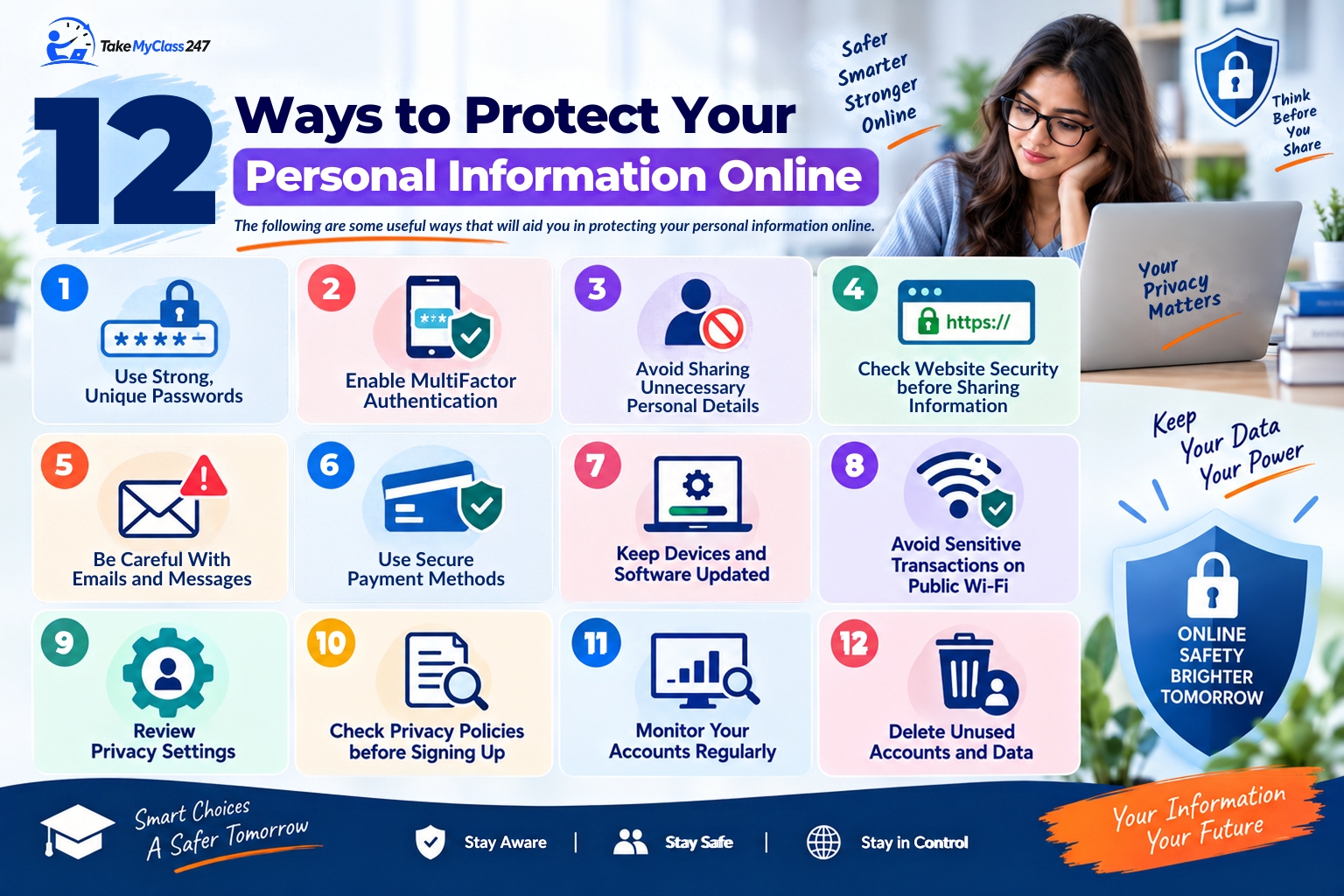
12 Ways to Protect Your Personal Information Online
The following are some useful ways that will aid you in protecting your personal information online
1. Use Strong, Unique Passwords
Do not have the same password for various accounts. In case one website is hacked, you could lose all other accounts that use the same password.
Always ensure that your important accounts have strong, unique passwords. The use of a good password manager will assist you in generating these passwords easily. According to the National Institute of Standards and Technology (NIST), a minimum password length of at least 15 characters should be used.
2. Enable Multi-Factor Authentication
Multi-Factor Authentication (MFA) adds another level of verification after entering the password. Depending on the service, MFA can be done by using an application, security key, code, or biometric authentication.
Hence, even if your password gets into the wrong hands, it would be impossible for others to access your account. In this way, you can secure the account. NIST considers multi-factor authentication an important element of account protection.
3. Avoid Sharing Unnecessary Personal Details
Not every website needs your personal information like date of birth, address, phone number, etc. So, share only information that is necessary.
Be cautious whenever any app seeks permission to access your contacts, location, camera, microphone, or files. Before you allow access, think about why this data is required by the particular application.
4. Check Website Security before Sharing Information
Before you provide any sensitive information to a website, verify its web address. Specifically, check whether that website is using the HTTPS protocol and whether its domain name is authentic.
However, keep in mind that a website’s HTTPS protocol does not automatically mean that the site is secure. Scammers can also operate encrypted websites. Therefore, make sure to check the spelling of the domain, avoid suspicious pop-ups, and use only official websites/apps for accessing certain online services.
5. Be Careful With Emails and Messages
Phishing attacks often imitate banks, shipping businesses, schools, employers, and other well-known organizations. The email messages will try to put you under pressure by asking you to click on a link or to open an attachment.
In case you receive an unexpected message, do not click on the link right away. Go to the website of the organization and contact it directly. The FTC advises you not to use any links or attachments from unexpected messages.
6. Use Secure Payment Methods
Be careful when a website asks you to pay through an unknown link, personal account, or unusual payment method.
If possible, make payments using well-established means, and be sure about the legitimacy of the merchant before proceeding with the transaction. Do not give out any financial details just because the message says you have to pay immediately.
7. Keep Devices and Software Updated
Many security patches fix vulnerabilities that criminals might take advantage of. Therefore, you should ensure that your computer’s operating system, browser, mobile applications, and security software are up to date.
Setting your devices and software to automatically update could be helpful in this case. According to the FTC, you need to install updates immediately since they may contain critical security measures.
8. Avoid Sensitive Transactions on Public Wi-Fi
Public Wi-Fi is convenient to use, but it generally needs extra attention when you use it for banking, financial transactions, or other sensitive activities.
If possible, use a trusted network or a more secure connection for transactions. If you need to work with a critical account when away from home, check whether the network is safe and trustworthy before you enter sensitive details.
9. Review Privacy Settings
Websites, browsers, and apps may offer privacy controls that define what kind of information they will collect or share.
Check privacy options regularly. Pay attention to location access, advertising options, contact permissions, access permission for your camera or microphone, and your account visibility. Do not give unnecessary permission that is not required for the functioning of the particular service.
10. Check Privacy Policies before Signing Up
Privacy policies usually contain details about the type of information the service provider collects, purposes of data collection, its usage, and whether the information will be shared with any other third party.
You do not have to remember everything from the policy. Instead, you should focus only on the sections dedicated to data handling, sharing, retention, security, and deletion. This will help you make a more informed decision before creating an account.
11. Monitor Your Accounts Regularly
Protection against cyberattacks is an ongoing process and not a one-time task. So, regularly monitor your email accounts, bank accounts, shopping accounts, and other important services for any abnormal activity.
Unfamiliar logins, requests to reset passwords, purchases, updates in your profile or account, and other notifications that you did not initiate are signs that you should take some action and prevent the damage caused by unauthorized access.
12. Delete Unused Accounts and Data
For older accounts, high chances may be there for storing your information somewhere by service providers. If you no longer use any service, think about closing your account and deleting information that is no longer needed. It will help you minimize your digital footprint.
Note that reducing your digital footprint won’t protect you from online threats, but it can reduce the number of services holding your personal information.
Common Online Privacy Mistakes to Avoid
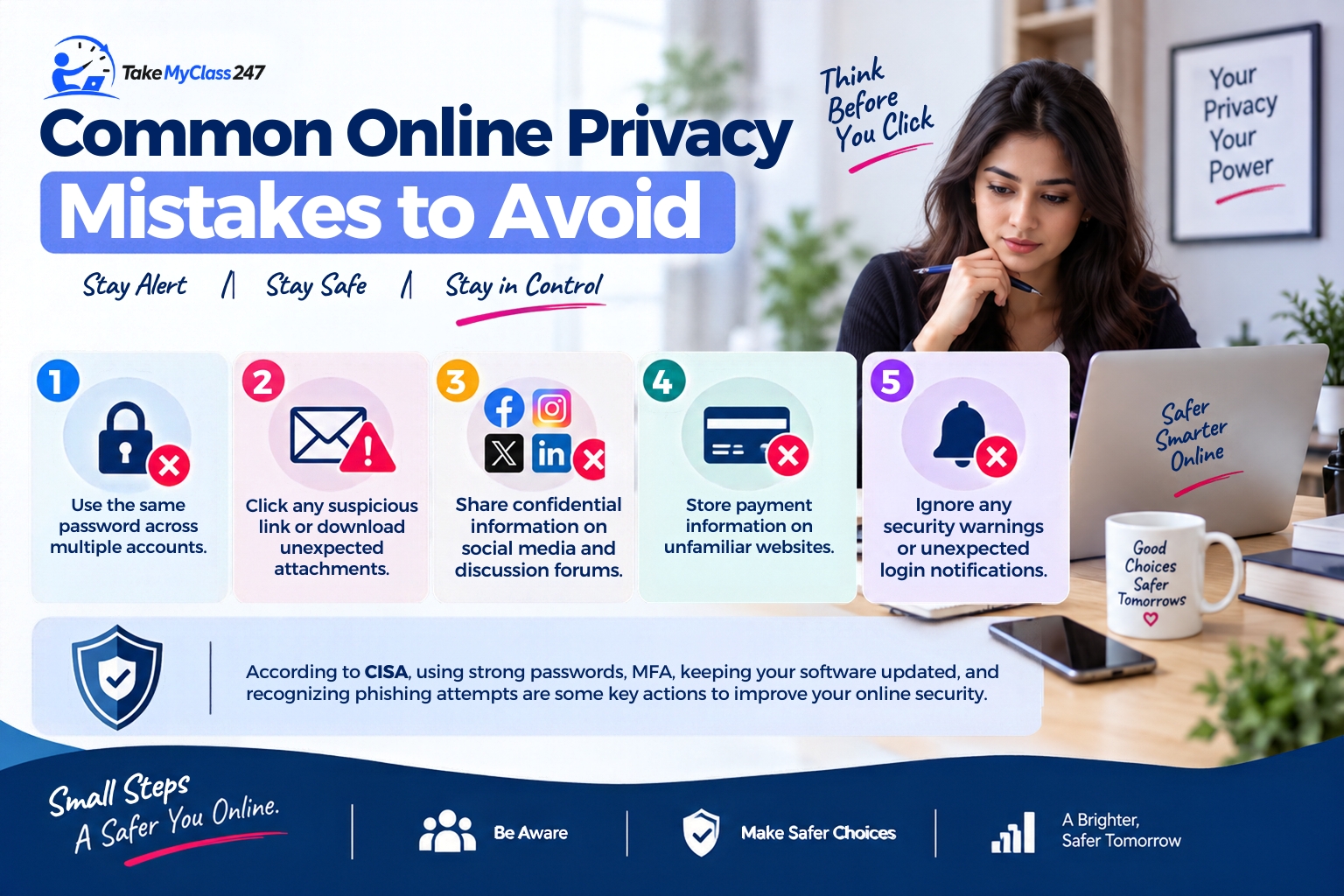
Even users who are careful about protecting their personal information when using online services may commit small mistakes that can increase their exposure. So, it is essential to avoid such common online privacy mistakes. While using any services over the internet, you should not
Use the same password across multiple accounts.
Click any suspicious link or download unexpected attachments.
Share confidential information on social media and discussion forums.
Store payment information on unfamiliar websites.
Ignore any security warnings or unexpected login notifications.
According to the Cybersecurity & Infrastructure Security Agency (CISA), using strong passwords, MFA, keeping your software updated, and recognizing phishing attempts are some key actions that will help you improve your online security.
What to Do If Your Personal Information Is Compromised
If you suspect that your personal information has been breached or your account has been accessed without your consent, take action immediately.
Firstly, reset the password for your affected account and the passwords on all accounts that used the same set of details. Secondly, turn on MFA if that option is available. In case your financial information has been exposed, immediately get in touch with your bank or payment processor via their official channels.
After that, check your recent account activity and monitor for unusual transactions and sign-ins. Keep track of all suspicious messages and transactions. In case you suspect any kind of identity theft or fraudulent activity, report it to the relevant organization or government authority. For example, in the US, the FTC directs identity-theft victims to IdentityTheft.gov for recovery guidance.
Frequently Asked Questions
How can I protect my personal information online?
You can protect your personal information online by creating a strong password that is hard to guess, using multi-factor authentication, and ensuring your software stays up-to-date. Also, you should avoid clicking suspicious links, limit the information you share, check the privacy settings, and monitor important accounts regularly.
What information should I never share online?
You should never casually share passwords, authentication codes, bank details, and any other sensitive identifying information online. In general, legitimate organizations will never ask you to share passwords and one-time authentication codes.
How do I know if an online service is safe?
If you want to identify whether or not an online service is safe, look at the URL address of the website, check for HTTPS, read about the service's privacy policy, and find independent information about the service. Don't consider professionally designed websites as necessarily legitimate.
Is it safe to enter personal information on websites?
It might be safe to do so if you are dealing with a genuine service that uses adequate measures to protect your data. But before you enter your personal details, verify the website, get to know the purpose for which your personal information is needed, and review the company’s privacy practices.
What should I do if my personal information is stolen?
If your personal information is stolen, then immediately secure your affected account, change passwords, activate MFA, and contact financial institutions when necessary. Also, monitor for suspicious activity and report any kind of fraud or identity theft to the appropriate authorities.
Conclusion
The protection of private information on the Internet requires consistent and practical actions. Never share unnecessary information while using online class help services or other digital services. Most importantly, use strong and unique passwords for accounts, set up multi-factor authentication, update all of your devices, and be careful when clicking links or providing personal data.
Do not consider the issue of online security as something you need to deal with after the problems have already started. Consistent monitoring and thoughtful decision-making may help you to detect any threat earlier. Before sharing any personal, educational, work-related, or financial data, make sure that the website you are accessing is legitimate and that all of the information requested is really needed.
Was this helpful?
⏱ 9 minutes read💬 0 comments↗ 85 shares
Related Articles
Canvas vs. Blackboard vs. Moodle: Which LMS Is Best for Online Students?
Canvas, Blackboard, and Moodle are popular learning management systems that support online coursework. If you want to know which LMS is the best for online students, make sure to compare each platform’s interface design, course organization, customization, and other specific features configured by institutions. Canvas, Blackboard, and Moodle are the three learning management […]
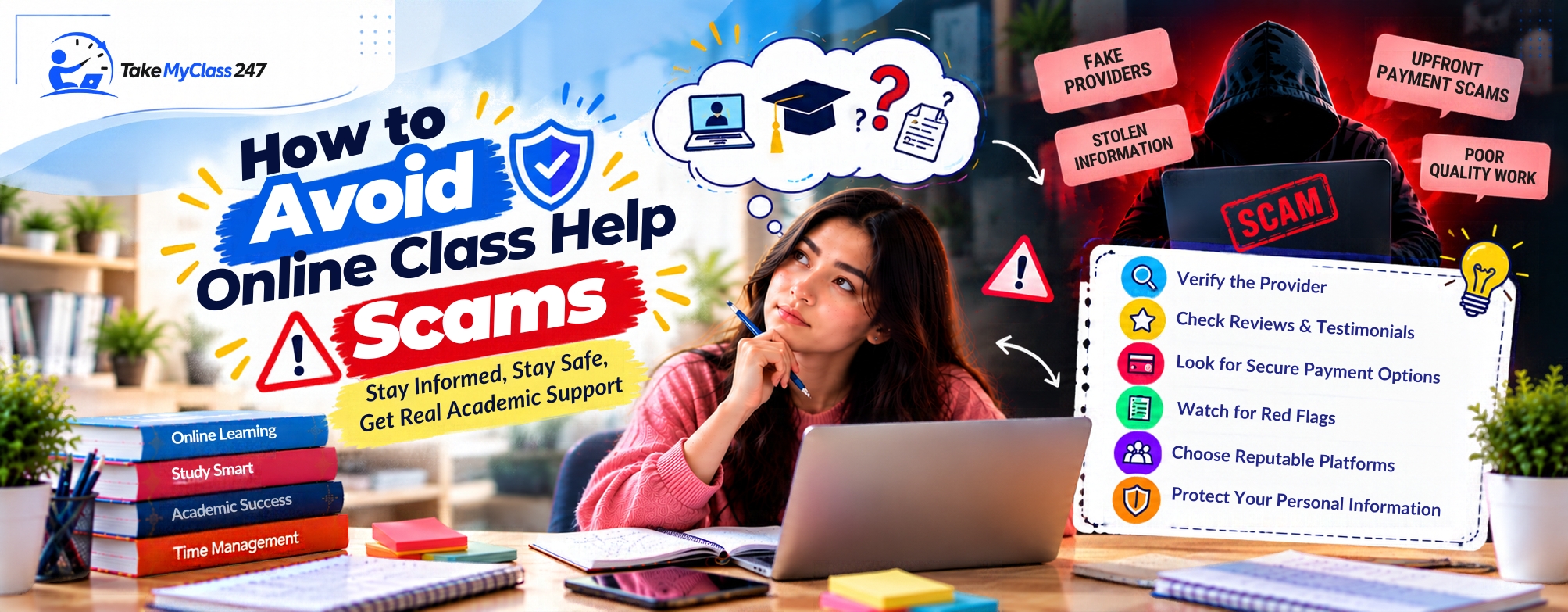
You must know how to avoid online class help scams to get rid of certain risks. Before you use any online class help services, carefully research the provider, verify their reviews and tutor qualifications, understand their payment and privacy policies, and also ignore unrealistic guarantees. In recent years, students have often been searching […]
How to Catch Up When You Are Behind in an Online Class
Do not quit when you cannot keep up with your online classes. If you are unsure how to catch up when you are behind in an online class, first prioritize overdue work. After that, develop a manageable schedule, study consistently, and monitor your academic progress daily. Getting behind in an online course can […]