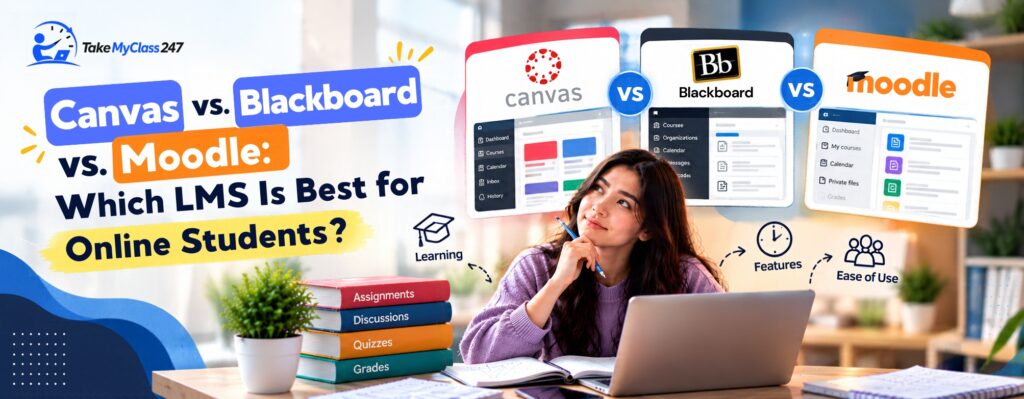
Canvas, Blackboard, and Moodle are popular learning management systems that support online coursework. If you want to know which LMS is the best for online students, make sure to compare each platform’s interface design, course organization, customization, and other specific features configured by institutions.
Canvas, Blackboard, and Moodle are the three learning management systems (LMS) that several colleges, universities, schools, and training providers use to deliver their online courses. In general, all these platforms perform the same functions and support core academic tasks, but they might appear different to students.
In the case of online education, an LMS is not just a repository for downloading study materials. It is a central place that enables students to submit assignments, take quizzes, join discussions, check grades, view announcements, and communicate with instructors. Particularly, knowing the differences between Canvas, Blackboard, and Moodle will help students to find out what to expect from their online learning environment.
When it comes to comparison of three popular learning management systems, it is essential to focus on features such as navigation, assignment management, communication, mobile device compatibility, grade tracking, accessibility, and course structure. Overall, each LMS will serve differently, because every educational institution and instructor will have their own settings and configurations. In addition, two courses using the same platform may not look or work exactly alike. If you want to identify which LMS is the best for online students, continue reading this blog and explore the key features and challenges of Canvas, Blackboard, and Moodle.
What is an LMS?
A learning management system is computer-based software that helps in the creation, organization, delivery, and management of online courses. In online education, an LMS acts as the central hub for the learning materials and academic activities involved in a course.
Typically, an LMS allows students to
- Access various types of learning resources for the course, such as articles, videos, presentations, and more.
- Submit their assignments and receive feedback from the instructor.
- Take quizzes and examinations.
- Participate in discussions and forums.
- See their grades and course progress.
- Read announcements and get notifications
- Communicate with both instructors and fellow learners.
Altogether, an LMS will bring several aspects of an online course into one digital learning environment.
Canvas vs. Blackboard vs. Moodle: Quick Comparison
Find the differences between Canvas, Blackboard, and Moodle in this comparison table
| Feature |
Canvas |
Blackboard |
Moodle |
| Ease of navigation |
Offers a course dashboard and modules for navigating course content. |
Provides course-based navigation for accessing course materials and activities. |
Offers a customizable course interface that can be configured according to course needs. |
| Assignments |
Contains tools for submitting assignments and receiving feedback. |
Offers tools for submitting assignments and managing grades. |
Provides assignment and activity tools for completing coursework. |
| Discussions |
Offers discussion boards for course-related conversations. |
Provides discussion tools for student and instructor interaction. |
Offers forums for course discussions and communication. |
| Quizzes |
Provides online quizzes and assessment tools. |
Contains tests and assessment tools for online evaluation. |
Includes quizzes and question banks for creating online assessments. |
| Grade tracking |
Allows students to view their grades and available feedback. |
Provides a Gradebook for viewing grades and assessment results. |
Offers a Gradebook for tracking grades from course activities. |
| Mobile access |
Provides a mobile app for accessing supported course features. |
Offers a mobile app for accessing supported course content and activities. |
Provides a mobile app for accessing courses and supported learning activities. |
| Customization |
Customization depends on the institution and individual course setup. |
Blackboard customization depends on the guidelines of the institution and course. |
Highly customizable and allows institutions and instructors to configure courses in different ways. |
These are broad comparisons. The features of each LMS version will vary based on an institution, instructor settings, and course design.
Canvas Overview for Online Students
Canvas is built around courses, dashboards, modules, assignments, discussions, grading, and various other learning processes. The student application of Canvas also offers access to courses, assignments, discussions, grades, calendars, notifications, and Inbox.
Key Features
Several features in Canvas assist students during an online course.
- Through the Canvas Assignment Management feature, students can access assignment instructions, submit assignments, and view grades and instructor feedback.
- Course Modules in Canvas help instructors arrange learning resources and activities into a systematic format.
- Discussions and Communication features in Canvas enable students to engage in discussions and communicate with fellow students in the course.
- Furthermore, the Grades and Feedback feature enables students to view their grades as well as any other feedback provided by the instructor.
Common Student Challenges
However, Canvas may become complicated when the teacher adopts a customized course homepage, hides some navigation options, or arranges the course modules differently. Moreover, even though the mobile app allows students to do most of their activities, not all web-based features are available in the Canvas student app.
Blackboard Overview for Online Students
Blackboard offers course materials, assignments, quizzes, discussion groups, grades, announcements, calendars, and activity tracking. Furthermore, by using the new Blackboard Learning Management System app, learners can access assignments and assessments, view grades and feedback, and check due dates for supported Ultra courses.
Key Features
The Blackboard software offers many features that assist students in effectively managing their online coursework.
- The use of the Assignment and Assessment tools makes it possible for the student to take assignments and supported tests on the platform.
- The Course Content Organization feature helps the educator arrange the course material in the course content area, while the Activity page can be used by students to know about any pending coursework.
- Discussion and Communication feature of Blackboard helps students take part in discussions and receive course-related notifications such as announcements.
- Grades and Feedback features help students monitor their grades, submission status, and teacher feedback.
Common Student Challenges
The Blackboard platform will be perceived differently by students depending on whether the course uses the Original or Ultra experience. Since institutions can also configure navigation and available tools in Blackboard LMS, students might view different layouts or options when accessing it.
Moodle Overview for Online Students
Moodle is a free open-source learning management system that is designed using a modular architecture. Due to its open-source nature, organizations have the flexibility to customize and extend the platform through plug-ins and integrations. The documentation of Moodle describes it as a flexible platform for online and blended learning.
Key Features
Moodle offers several features that help students throughout the whole online learning process.
- Course Activities and Resources section in Moodle includes documents, pages, videos, and other learning activities that instructors use to deliver course content.
- Through the Assignments and Quizzes section, students can do coursework and take quizzes set up by their instructors.
- Moodle also offers Forums and Communication features that allow students to interact with their peers and instructors and discuss various topics.
- The Grades and Progress Tracking feature of Moodle includes the gradebook functionality that helps students to collect and organize grades from various learning activities.
Common Student Challenges
Moodle’s versatility and flexibility are an advantage, but it can make the appearance of courses considerably different between institutions. Therefore, students may require more time to locate the course materials, activities, forums, and assessment tools within the platform.
Canvas vs. Blackboard vs. Moodle: Key Differences
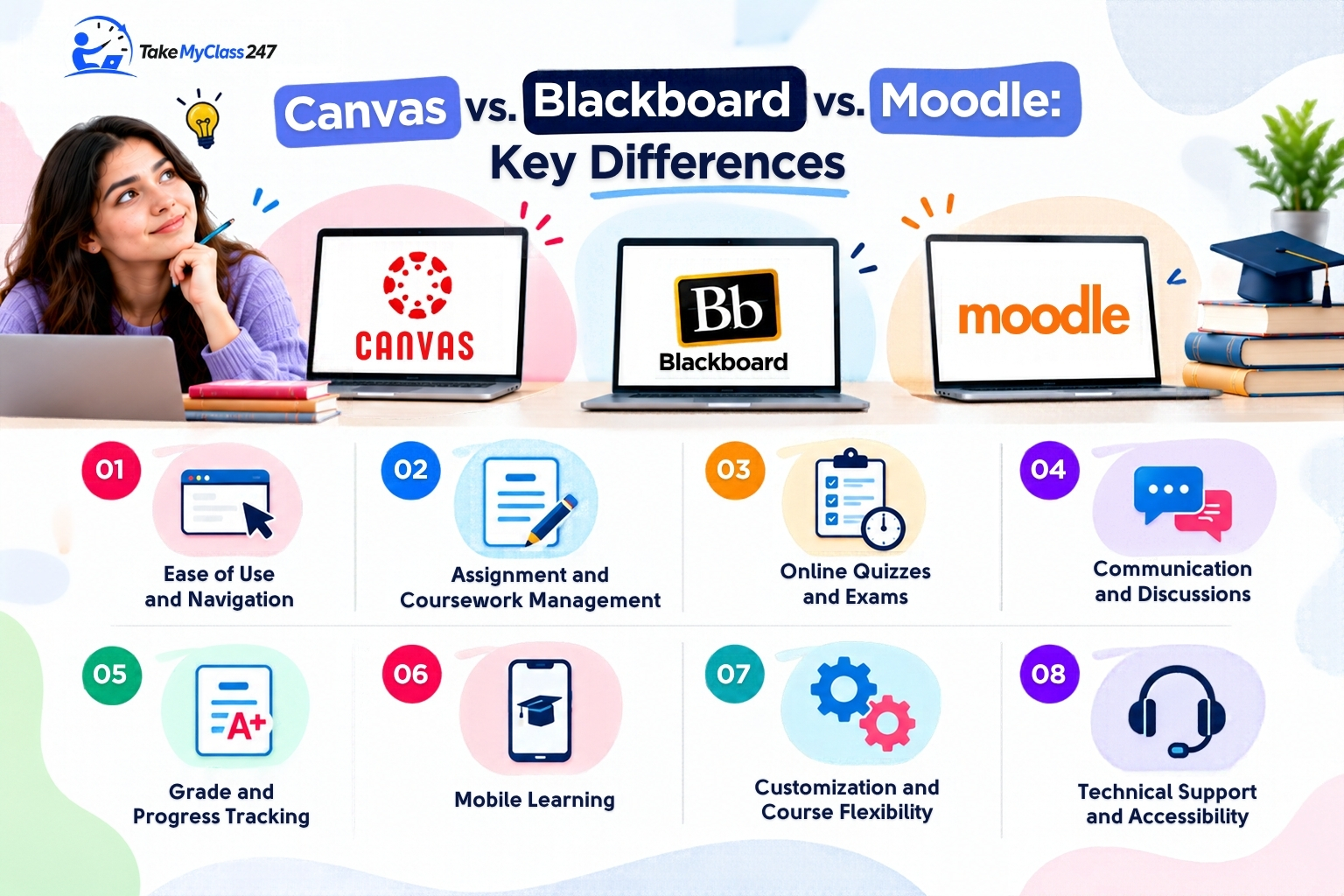
Here, let us explore the key differences between Canvas, Blackboard, and Moodle
1. Ease of Use and Navigation
Canvas usually offers students a dashboard and course-level navigation, while Blackboard allows for course navigation and an activity stream. Moodle is very flexible and configurable, so its look can differ greatly from instance to instance.
For students, consistency is important. Hence, a clear dashboard and well-organized menus and course pages can save much time on looking for their assignments.
2. Assignment and Coursework Management
All three learning management systems provide options to assign tasks, submit assignments, and view grades and feedback. But the practical difference lies in how instructors set up due dates, submission formats, rubrics, and feedback.
For instance, the latest version of Blackboard’s student app allows submission of assignments along with viewing of submission information and feedback for supported Ultra courses.
3. Online Quizzes and Exams
Canvas, Blackboard, and Moodle can all create online quizzes or exams. However, the question types offered, options related to the number of attempts, time limits, integration of proctoring, etc., may vary depending on the particular institution’s setup.
This is why students should refer to their courses’ instructions rather than to take it for granted that all quizzes and examinations would be the same.
4. Communication and Discussions
Some important communication features included in the learning management systems are announcements, messages, discussions, forums, and notifications. The current notification functionality of Blackboard informs about new materials, discussions, grades, and deadlines.
Similarly, Canvas and Moodle have discussion and communication functionalities depending on the exact workflow of the course design.
5. Grade and Progress Tracking
All three LMS platforms offer students access to their grades, but the way they are provided may vary. Canvas provides the grade along with feedback through the student experience. Blackboard provides the Gradebook along with activity-based grading data. Moodle uses a gradebook that collects grades from activities conducted within the course.
Students need to pay specific attention to their current scores, instructor’s feedback, and any information about pending or upcoming work.
6. Mobile Learning
Mobile access becomes crucial for those students who are studying via smartphones and tablets. Canvas offers student apps for Android and iOS platforms, but some of their features require the use of the web interface.
On the other hand, Blackboard provides a mobile application that enables students to access assignments, tests, grades, due dates, and course content for supported courses. Even Moodle offers an official mobile app for Android and Apple devices.
7. Customization and Course Flexibility
Moodle is well-known for its open-source and highly customizable architecture. Therefore, institutions can configure features and add integrations or plug-ins.
Canvas and Blackboard are configurable too, but students face only those options that are enabled and configured by their institutions and instructors.
8. Technical Support and Accessibility
Technical support is important in cases when a student cannot log in, submit assignments, or access course content. Usually, the first point of contact for solving these kinds of problems is the institution’s help desk.
However, accessibility is also extremely important. Canvas offers resources on accessibility, and its iOS apps have been accredited to meet WCAG 2.1 AA requirements. Blackboard claims that its products are designed with recognized accessibility standards such as WCAG in mind. As for Moodle, it has WCAG 2.2 Level AA accreditation for its app and provides information about the accessibility of the Moodle LMS.
Which LMS Features Matter Most for Online Students?
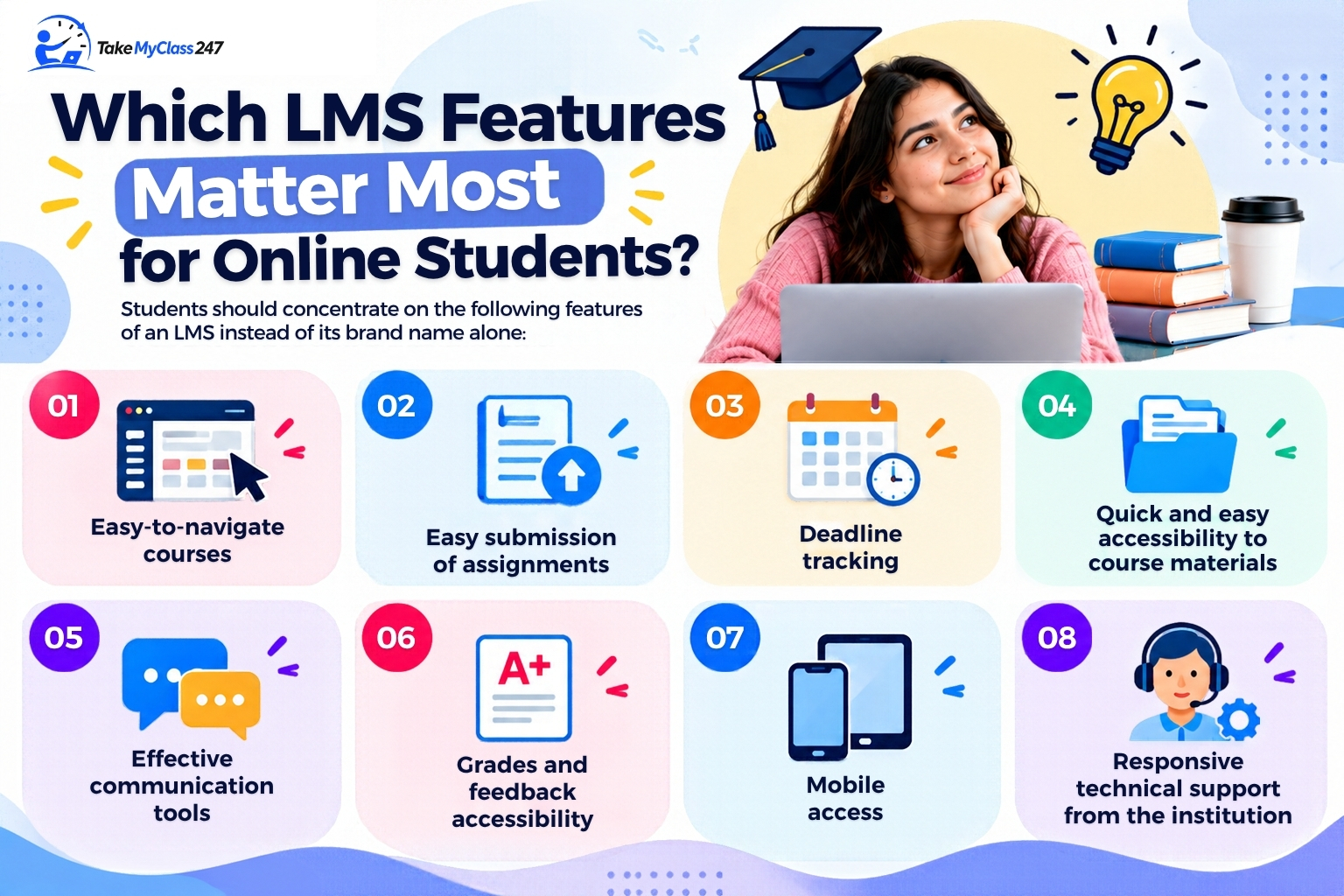
Students should concentrate on the following features of an LMS instead of its brand name alone:
- Easy-to-navigate courses
- Easy submission of assignments
- Deadline tracking
- Quick and easy accessibility to course materials
- Effective communication tools
- Grades and feedback accessibility
- Mobile access.
- Responsive technical support from the institution
All of these features influence the daily work of the student.
How to Choose the Right LMS for Your Online Course
If you are clueless about how to pick the appropriate LMS for your online course, then follow these tips recommended by tutors at takemyclass247.com
- Consider Your Course Requirements: Get to know whether the online course you have enrolled in involves numerous assignments, quizzes, discussion board postings, group activities, or any multimedia material that can be accessed through an LMS.
- Evaluate Ease of Navigation: Check whether an LMS has a clear home page, organized menus, and an easy way to access your upcoming tasks.
- Check Assignment and Assessment Features: Make sure that you are aware of how submission, deadlines, resubmission, quizzes, and feedback work in the learning management system.
- Review Mobile Accessibility: If you use your mobile device to take online classes frequently, then find out how many course features are available in the mobile version.
- Consider Instructor and University Support: A well-supported LMS could be better to operate than a technically advanced system with less local assistance.
- Look at Your Personal Learning Preferences: Some learners like an uncomplicated structure while others prefer a flexible course layout and a wider range of activities.
Common Problems Students Face with LMS Platforms
Even a well-designed LMS may cause trouble. Some common issues you may encounter while accessing LMS platforms are
- Incorrect login credentials and account accessibility problems
- Missing or incorrectly organized course materials
- Assignment submission errors
- Technical issues with accessing quizzes and exams
- Notification problems
- Grades that have not yet been updated
- Difficulty in finding the course content
If any of these difficulties affect your deadline, you need to prove that it happened by taking a screenshot and contacting the instructor or technical support team as soon as possible.
Tips for Managing Any LMS Successfully
If you want to effectively handle your online courses on an LMS, then follow these key tips suggested by academic experts at takemyclass247.com
- Check your dashboard regularly.
- Monitor deadlines by adding them to your calendar.
- Read the course announcements regularly.
- Submit important assignments before the deadline.
- Check your grades and feedback after you have been graded.
- Save a copy of your assignments and confirmation of submission, where possible.
- Seek help from instructors or the technical support team if technology-related issues affect your online coursework.
Frequently Asked Questions
What is the difference between Canvas, Blackboard, and Moodle?
All three are learning management systems, but they have different user interfaces, configurations, course structures, and institutional setups. Moodle is an open-source LMS that is customizable, whereas Canvas and Blackboard are generally used in institutionally configured environments.
Is Canvas easier to use than Blackboard or Moodle?
There is no specific answer to this question. You can easily access Canvas depending on many factors, such as your course design, instructor structure, institutional setup, and familiarity with using the system.
Which LMS is commonly used for online classes?
Canvas, Blackboard, and Moodle are all popular learning management systems that are widely used for online education. However, the availability of the LMS to learners will generally depend on the college, university, school, or training institute they attend.
Can I access Canvas, Blackboard, and Moodle on mobile devices?
Yes. All three platforms offer mobile apps. Canvas offers student apps; Blackboard offers the Blackboard LMS app; and Moodle offers the Moodle app. However, the mobile functionality might be different from the full web-based version.
Which LMS is best for managing online assignments?
Canvas, Blackboard, and Moodle offer necessary features to manage assignments. But the real experience depends on how the instructor configures assignment submission type, deadlines, grading, feedback, and notifications.
How can I stay organized regardless of which LMS my college uses?
Frequently check the LMS, keep track of deadlines using a separate calendar, read announcements, monitor grades, and submit assignments early. Knowing course navigation in the first week will also be helpful for you to prevent problems later.
Conclusion
Canvas, Blackboard, and Moodle are capable of meeting online students’ essential requirements such as coursework, assessment, discussion forums, grading, communication, and mobile learning. The major differences between these learning platforms usually lie in interface, course structuring, customization, and configuration of options by the institution.
Most importantly, the choice of LMS is just one part of online education. In general, the way courses are designed, the configuration settings used by the institution, technical assistance, accessibility policies, and other features of the LMS will have a significant impact on the student experience.
For that reason, when comparing Canvas vs. Blackboard vs. Moodle, students should think about: Can I find my coursework easily? Can I submit assignments reliably? Am I able to check deadlines, grades, and feedback? Can I communicate with my instructor? Can I access important materials when I need them? The answers to these questions will help them choose an appropriate LMS.